
Views: 0 Author: Site Editor Publish Time: 2025-12-23 Origin: Site


Have you ever dreamed of creating your own 3D printed designs? With 3D printing technology evolving rapidly, it's now easier than ever.
In 2025, 3D printing has opened up endless possibilities, from custom gadgets to prototypes. This guide will walk you through how to make 3D models for printing, even if you're just starting out.
In this article, you will learn the essential steps, tools, and tips to bring your ideas to life with 3D printing.
3D printing, also known as additive manufacturing, is the process of creating three-dimensional objects from a digital model. The printer builds the object layer by layer using materials like plastic, metal, or resin. In 2025, 3D printing is used across industries—from manufacturing and healthcare to education and art—allowing for rapid prototyping, custom product design, and even medical implants.
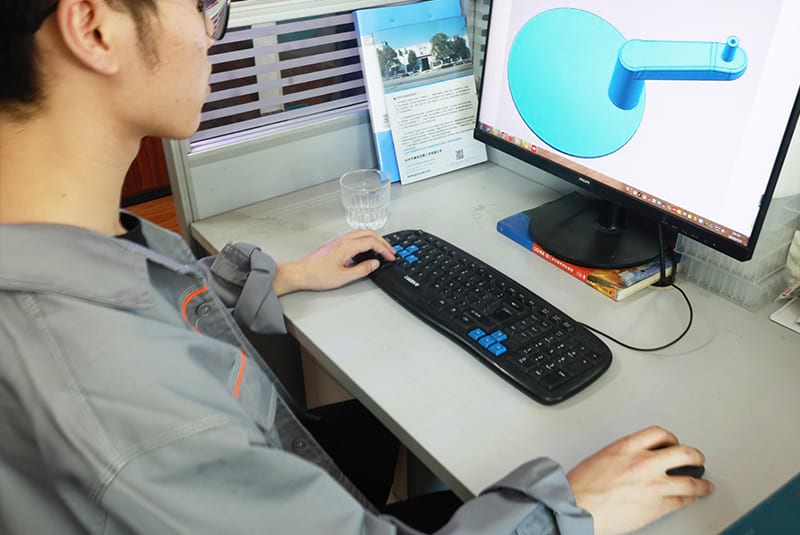
The technology has become more accessible with a variety of printers available for both personal and professional use. The most common 3D printing methods include:
● FDM (Fused Deposition Modeling): The most widely used 3D printing method, perfect for prototyping and everyday objects.
● SLA (Stereolithography): Ideal for high-detail prints and used in jewelry or dental industries.
● SLS (Selective Laser Sintering): Used for printing complex parts in industries such as aerospace.
When it comes to choosing the right 3D printer for your projects, several factors must be considered:
● Print Method: Decide whether you need an FDM, SLA, or other type of 3D printer depending on the quality and precision you need.
● Material Compatibility: Consider the materials you plan to use, such as PLA, ABS, resin, or even metals.
● Print Size: Larger projects require printers that can accommodate bigger builds. Make sure the print bed size fits your needs.
● Budget: Printers range from affordable options for hobbyists to expensive industrial models. Choose one that aligns with your needs and budget.
In 3D printing, the most commonly used file formats are:
● STL (Stereolithography): The most widely supported format for 3D printing. It represents the surface geometry of a 3D model.
● OBJ: A flexible format that supports textures and colors, making it ideal for complex designs.
● 3MF (3D Manufacturing Format): A newer format that offers better compatibility with modern 3D printers and supports full color and material data.
Choosing the right file format depends on the printing method and software you're using. STL is often the safest bet, but if you need more complex details, OBJ or 3MF might be necessary.
Before diving into 3D modeling, it’s important to clarify your design idea. Some beginner-friendly projects include:
● Phone Holders: Simple and practical, perfect for getting started.
● Keychains: Personalizable and small, a great way to learn 3D modeling basics.
● Mini Figurines or Toys: A fun way to experiment with shapes and details.
You can either create a new design from scratch or modify existing models. Websites like Thingiverse and MyMiniFactory offer a wealth of free models to inspire your creations.
Selecting the right software is crucial to bringing your design ideas to life. Here’s a breakdown of popular options:
Software | Skill Level | Type | Best For | Price |
Tinkercad | Beginner | Web-based | Simple shapes, education | Free |
Blender | Intermediate | Desktop | Artistic models, sculpting | Free |
Fusion 360 | Intermediate-Advanced | Desktop | Engineering, precision parts | Free/Paid |
SketchUp | Beginner-Intermediate | Desktop/Web | Architecture, basic models | Free/Paid |
Choose a software that matches your skill level. Tinkercad is a great start for beginners, but as you progress, you may want to explore more advanced tools like Fusion 360.
Creating your first 3D model can be daunting, but it’s a straightforward process once you understand the tools:
1. Choose Your Design Software: Start with a simple tool like Tinkercad.
2. Start with Basic Shapes: Most models are built from basic shapes like cubes, spheres, and cylinders. Combine them to create more complex forms.
3. Refine the Design: Use features like scaling, rotating, and mirroring to perfect your model.
4. Check for Printability: Ensure there are no holes or non-manifold geometry that could cause issues during printing.
5. Export the File: Once you’re satisfied, export your model as an STL or OBJ file ready for printing.
In 2025, artificial intelligence is changing how we approach 3D modeling. AI-driven tools like Spline and Vectary can automatically generate 3D models from simple inputs, such as text or basic shapes. These tools are designed to simplify the modeling process, making it easier for beginners to create complex models without needing to understand detailed geometry.
These AI tools also offer faster iterations and allow for more intuitive design workflows. As they continue to improve, AI will play an increasing role in reducing the learning curve for 3D modeling.
Advances in 3D printing materials are also influencing design possibilities. In 2025, you’ll see more eco-friendly materials, such as biodegradable resins and recycled plastics, gaining popularity. These materials offer sustainability without sacrificing print quality.
Additionally, biocompatible filaments are making their way into healthcare and dental industries, allowing for the creation of customized prosthetics and medical devices. The evolution of multi-material printing and high-resolution printing is also pushing the boundaries of what can be created, with applications ranging from intricate art to functional prototypes.
One of the most common issues in 3D modeling is non-manifold geometry, which occurs when a model has holes, overlapping edges, or disconnected faces. These errors can cause failed prints. To avoid this, use mesh repair tools like Netfabb or Meshmixer to check and fix your models before printing.
Another common issue is wall thickness. Thin walls may collapse during printing. Always check your printer’s recommended minimum wall thickness and ensure that your model’s walls meet these guidelines.
Tip: A quick test print of a small section can help identify and fix issues early on.
Models with overhangs (angles greater than 45°) may require additional supports to print correctly. However, supports can be time-consuming to remove and can affect the print quality. To minimize supports, try to design models that have fewer overhangs or use support-free techniques, such as printing parts in smaller sections.
Tip: For complex designs, consider using dual-material printers that can print supports with dissolvable material.
3D printing can be slow and material-intensive, but there are ways to optimize your models. For instance, hollowing out large objects reduces both print time and material consumption. Adding escape holes in hollow models allows resin or support material to drain out during printing.
Once your model is ready, export it as an STL or OBJ file. This file will then be loaded into slicing software like Cura or PrusaSlicer, which will convert your model into a series of layers and generate G-code for your 3D printer.
Tip: Experiment with different slicing settings to find the optimal balance between quality and speed.
Before you start printing, it’s essential to calibrate your 3D printer. This includes leveling the print bed, adjusting the nozzle height, and ensuring the filament flows correctly. Calibration ensures that your prints are smooth, accurate, and free from issues like warping or misalignment.
Tip: Regular calibration improves print consistency and reduces print failures.
Once the print begins, monitor the progress to ensure everything is going smoothly. If any issues arise, such as warping or misalignment, pause the print and adjust the settings. After printing, you may need to remove supports, sand rough edges, and perform additional post-processing tasks to achieve a polished finish.
Mesh repair tools like Netfabb and Meshmixer are invaluable when it comes to fixing geometry problems in your 3D models. These tools help identify issues like holes, flipped normals, and non-manifold edges, ensuring your model is print-ready.
Tip: Run your models through a mesh repair tool before exporting them for printing to catch any errors early.
Before committing to a full-scale print, consider printing a smaller test section of your model. This allows you to check for structural integrity and detail, ensuring the final print will meet your expectations.
In 2025, creating 3D models for printing has become more accessible than ever. By using the right software and design principles, even beginners can create successful models. Advanced tips, such as using AI-driven tools and emerging materials, will enhance your 3D modeling experience. Companies like Taizhou Huangyan Guangchao Mould Co., Ltd. are leading the way in providing innovative mold solutions, offering value with their high-quality products and expert services in the manufacturing sector.
A: 3D printing is the process of creating physical objects from digital models. The printer builds the object layer by layer using materials like plastic or metal, turning a virtual design into a tangible product.
A: To create 3D models for printing, you can use software like Tinkercad or Fusion 360. Start by designing your object, checking its dimensions, and exporting it as an STL or OBJ file, ready for 3D printing.
A: 3D printing is gaining popularity due to its ability to quickly produce prototypes, customized items, and low-cost production. Advances in technology and material options make it more accessible for a wide range of users.
A: Common issues include non-manifold geometry, unsupported overhangs, and incorrect wall thickness. Use mesh repair tools like Meshmixer to fix these problems before printing.
A: The choice of software depends on your skill level. Tinkercad is great for beginners, while Fusion 360 and Blender are better for intermediate to advanced users who need precision and more complex features.
A: The cost of 3D printing varies depending on the material, printer, and model complexity. On average, printing with basic filaments costs between $0.05 to $0.10 per gram, with additional costs for high-quality materials.


